
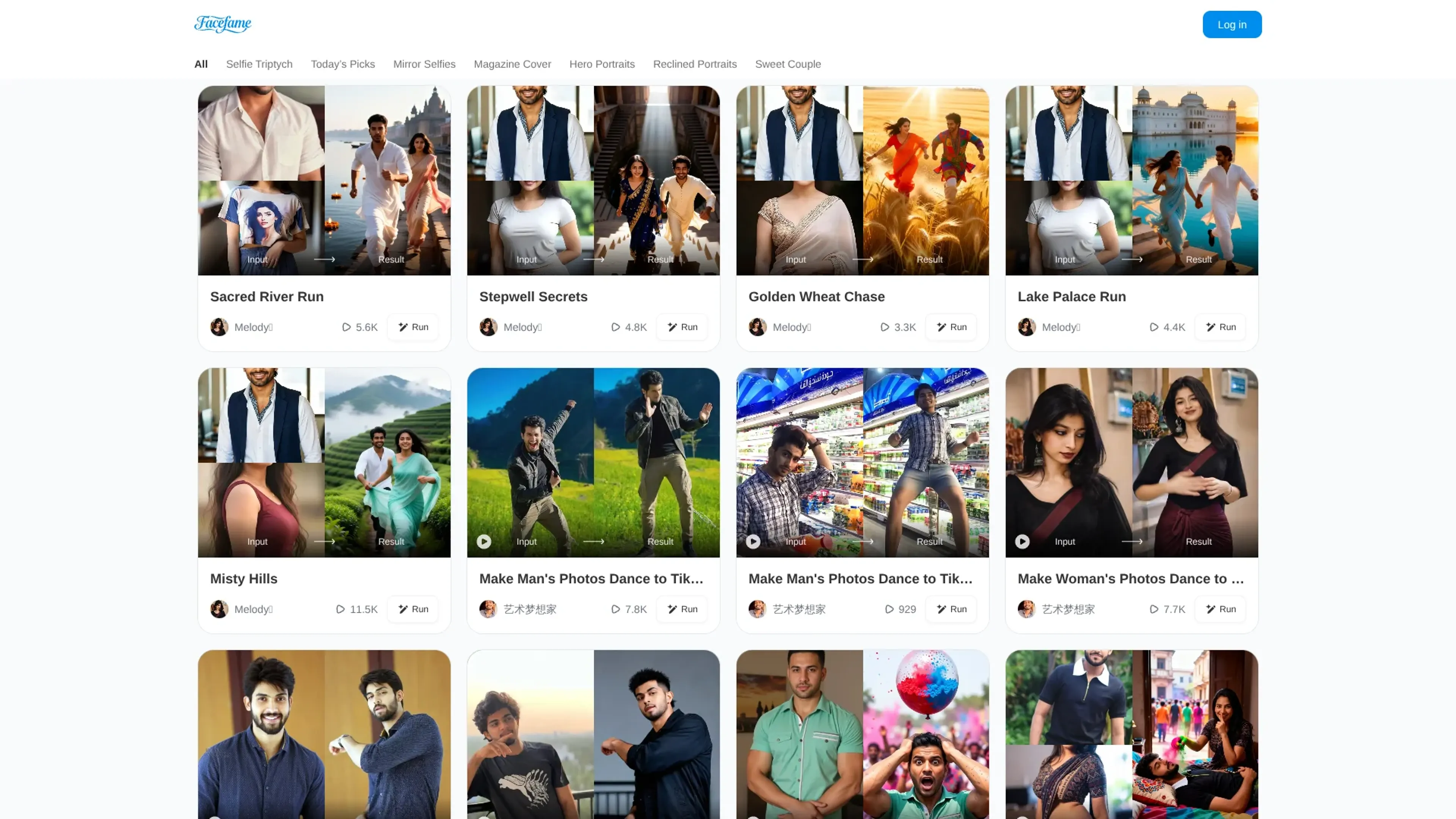
About Facefame
Facefame is an AI photo generator for web and Android that turns a single selfie into multiple stylized avatars, portraits, and short animated videos. Using predesigned templates and an avatar engine, it creates anime, cartoon, 3D, and magazine-cover looks from simple uploads. For social media users, casual photographers, and couples, it offers themed scenes like Sweet Couple and Hero Portraits, plus layouts such as Selfie Triptych and Mirror Selfies. The tool generates many variations in seconds, requires no editing skills, and outputs are ready for Instagram, TikTok, and LinkedIn. It also produces animated profile clips from the same source image.
Key Features
- Single-Selfie Avatar Engine: Generates multiple avatars, headshots and ID-style photos from a single uploaded selfie.
- Multi-style Visual Library: Offers anime, cartoon, 3D, portrait and social-media friendly looks, along with themes like Selfie Triptych, Mirror Selfies and Magazine Cover.
- Couple And Scenario Templates: Categories such as Sweet Couple, Romantic and Hero Portraits place one or two faces into ready-made, story-driven scenes.
- Animated Profile Videos: Creates short animated clips or avatar-style profile videos using the same source image used for still portraits.
- Web And Android Access: Available both in the browser at facefame.live and as a free Android app, so users are not tied to one device.
Pricing Details
- Pricing plans available. Features, limitations, rights, and obligations vary depending on the selected plan.
- Specific pricing amounts and plan details were not provided.
Pros
- Fast results: Produces many visual variations from a single selfie in seconds, which cuts down manual editing time.
- Playful creativity: Themed templates and couple scenes encourage experimentation that would be expensive or impractical to stage in real life.
- Social-ready output: Styles are tuned for Instagram, TikTok, Discord and professional networks, so results usually need little extra polishing.
- Low entry barrier: Simple upload-and-tap workflows make it approachable for people with no photo-editing background.
Cons
- Limited fine control: Power users who want masks, layers or precision retouching will find only basic adjustment options.
- Privacy transparency could improve: A privacy policy exists, but details on data retention and model training use are not heavily emphasized.
- Few direct integrations: Export focuses on image and video files rather than deep links into design suites or scheduling tools.
Use Cases
- Social Media Creators: Influencers and streamers using stylized avatars and magazine-style selfies to refresh feeds and profile images.
- Casual Smartphone Photographers: Everyday users turning simple camera-roll selfies into more polished portraits and triptych layouts.
- Professionals And Job Seekers: People needing quick, presentable profile photos for LinkedIn or portfolio sites without hiring a photographer.
- Couples And Friends: Pairs generating romantic, holiday or party-themed compositions from individual photos when joint shoots are not possible.
- Uncommon Use Cases: Used by dating app users to test different looks for profile photos; adopted by event organizers as a lightweight browser-based “AI photo booth” at pop-up activations.